
Another improvement to Copy/Paste for code as text is that you can now paste a layout as text into your projects. This works for Window, WebPage, MobileScreen and Container.
This is the output you get when copying a layout to text:
Window HelloThere
Inherits DesktopWindow
  Layout Property Width = 600
  Layout Property Height = 400
  Layout Property MinimumWidth = 64
  Layout Property MinimumHeight = 64
  Layout Property MaximumWidth = 32000
  Layout Property MaximumHeight = 32000
  Layout Property Title = "Hello World"
  Layout Property HasCloseButton = True
  Layout Property HasMaximizeButton = True
  Layout Property HasMinimizeButton = True
  Layout Property HasTitleBar = True
  Layout Property Resizeable = True
  Layout Property DefaultLocation = 2
  Layout Property Visible = True
  Layout Property ImplicitInstance = True
  Layout Property BackgroundColor = &cFFFFFF
  Layout Property MenuBar = 1436252159

  Control Button1 Inherits DesktopButton
    Layout Property Scope = 2
    Layout Property Left = 20
    Layout Property Top = 55
    Layout Property Width = 171
    Layout Property Height = 20
    Layout Property LockLeft = True
    Layout Property LockTop = True
    Layout Property TabStop = True
    Layout Property AllowAutoDeactivate = True
    Layout Property Caption = "Hello"
    Layout Property Default = True
    Layout Property Enabled = True
    Layout Property Visible = True
    Layout Property FontName = "System"

    Private Sub Pressed() Handles Pressed
      MessageBox("Hello " + TextField1.Text)
    End Sub
  End Control

  Control TextField1 Inherits DesktopTextField
    Layout Property Scope = 2
    Layout Property Left = 20
    Layout Property Top = 11
    Layout Property Width = 171
    Layout Property Height = 38
    Layout Property LockLeft = True
    Layout Property LockTop = True
    Layout Property TabIndex = 1
    Layout Property TabStop = True
    Layout Property AllowAutoDeactivate = True
    Layout Property BackgroundColor = &hFFFFFF
    Layout Property HasBorder = True
    Layout Property Enabled = True
    Layout Property TextColor = &h000000
    Layout Property AllowFocusRing = True
    Layout Property Visible = True
    Layout Property FontName = "System"
    Layout Property Text = "Xojo"
  End Control

End Window
You can copy that text and paste it back into a desktop project to add the window to it.
Note: Layouts that contain control sets do not copy/paste properly.
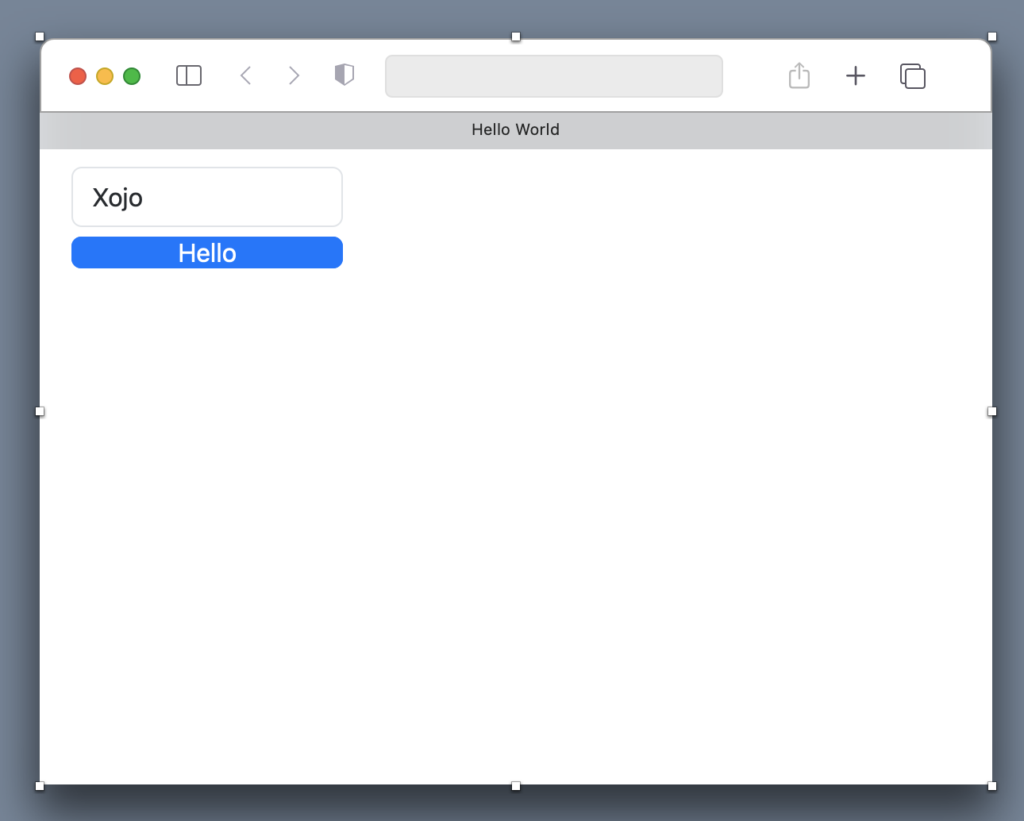
But one other cool thing you can now do is paste the above window text into a different project type, such as a web project. The window gets converted to a WebPage and its controls are converted to web controls. Here is what the above window looks like when pasted into a web project:
You could also paste it into an Android or iOS project:
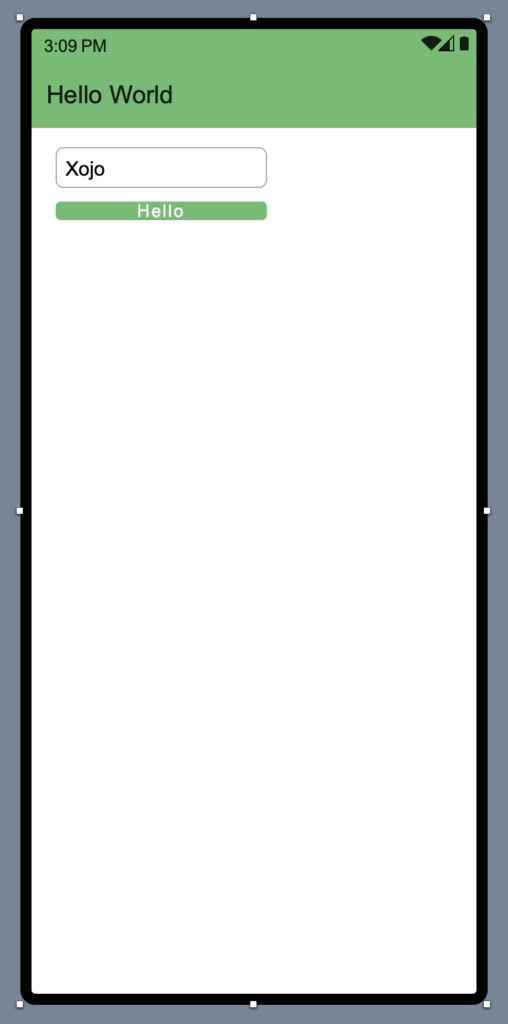
When you do this, your controls, code and properties are moved over, but the layout itself is not otherwise adjusted. Control sizes and positioning may need adjustments for the different size layouts. But this should provide a way to give you a quick jumpstart when migrating some UI between project types. If there is enough interest in this capability, perhaps we can add some conversion rules to help adjust control position and sizing between project types.
Paul learned to program in BASIC at age 13 and has programmed in more languages than he remembers, with Xojo being an obvious favorite. When not working on Xojo, you can find him talking about retrocomputing at Goto 10 and on Mastodon @lefebvre@hachyderm.io.