
DesktopTable is a new control introduced in Xojo 2026r3, it is designed as a drop-in replacement for DesktopListBox, while adding a range of features for building richer, more capable tables.
Most existing DesktopListBox code will compile with little or no change when transitioning to DesktopTable. At the same time, DesktopTable adds features that previously required custom controls or additional code.
What’s New?
DesktopTable adds support for:
- Frozen columns and rows — Keep important columns, headers, or totals visible while scrolling
- Merged cells — Span cells across rows and columns for titles, groupings, and custom layouts
- Sticky section headers — Keep section headers pinned as their section scrolls
- Hidden and reorderable columns — Hide columns without removing their data, or let users rearrange them
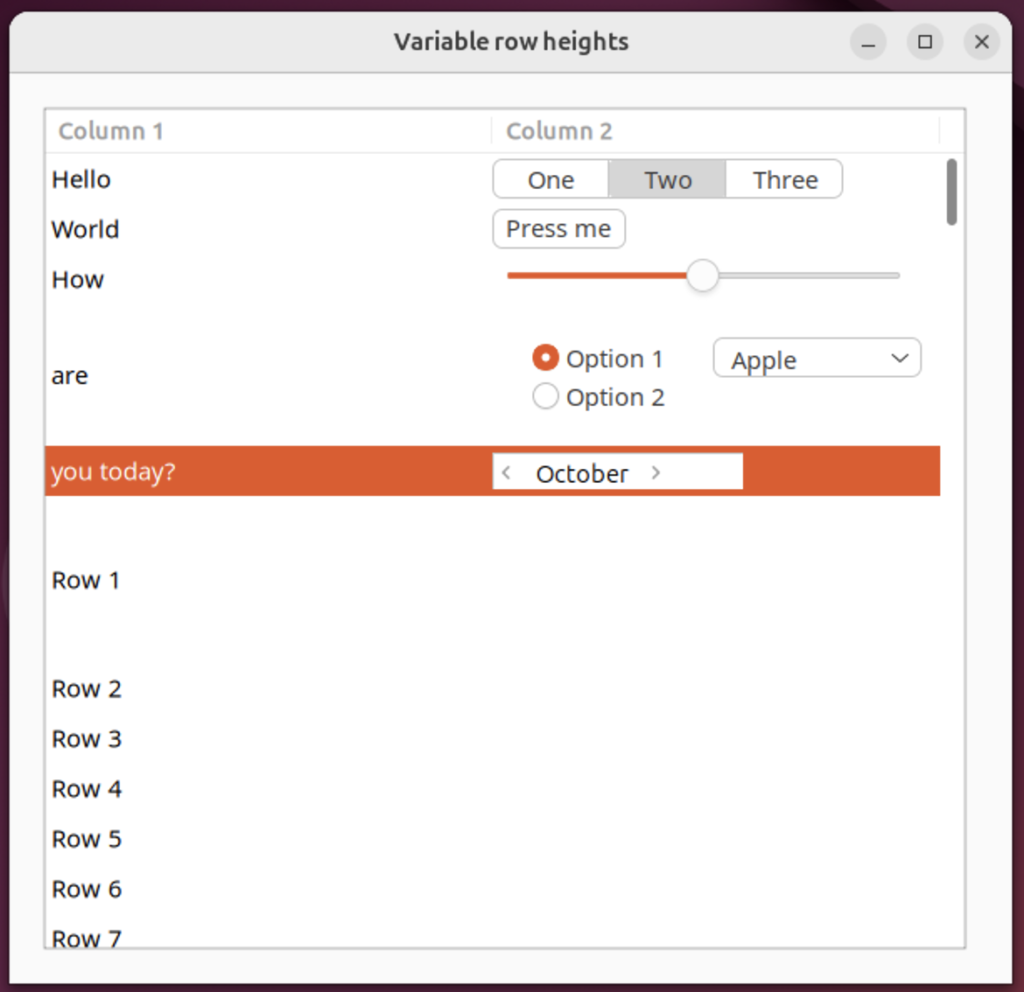
- Per-row heights — Set individual row heights and optionally allow users to resize rows
- Insets — Add space before the first or after the last row
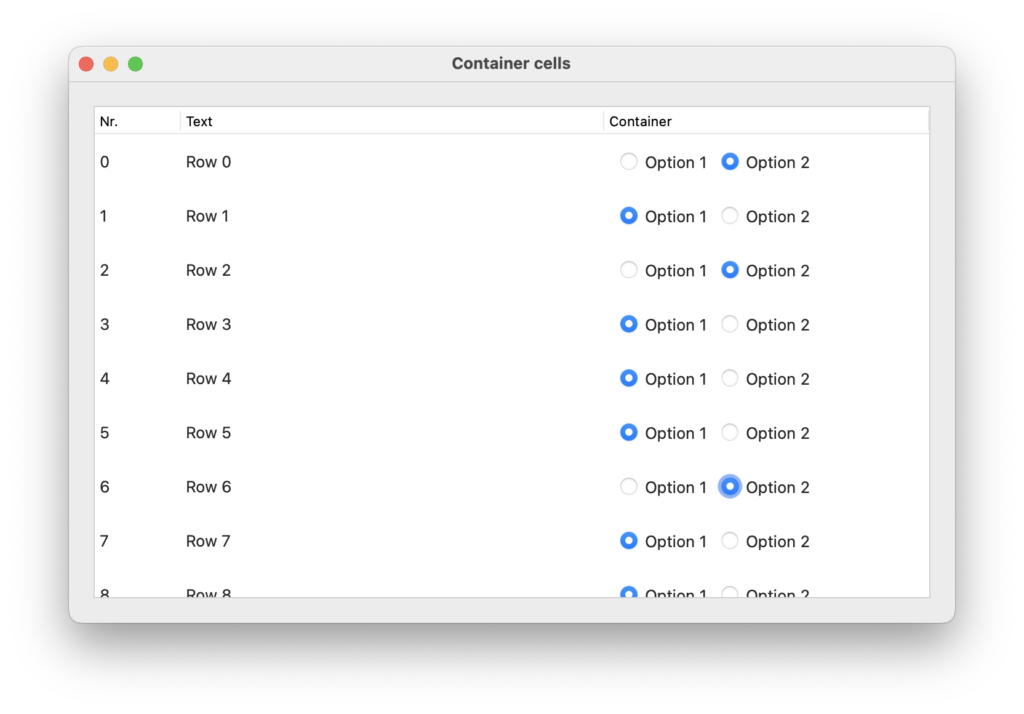
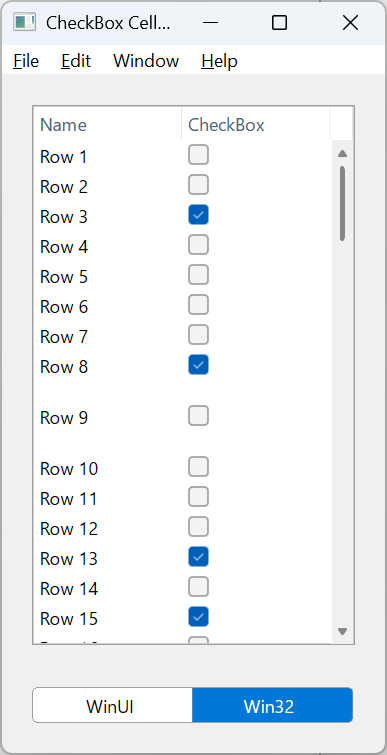
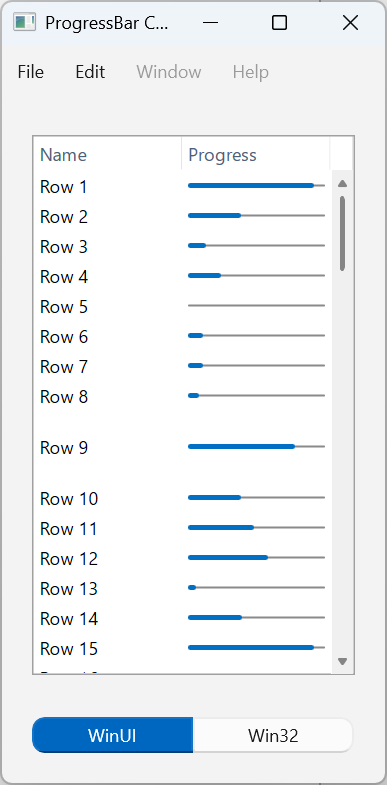
- Progress bars, checkboxes, and containers — Built-in cell types for richer data presentation
- Custom cell controls — Use
CellBoundsAtto position your own controls over cells - Automatic Right-to-Left support — The table automatically adapts and aligns columns and text for right-to-left languages
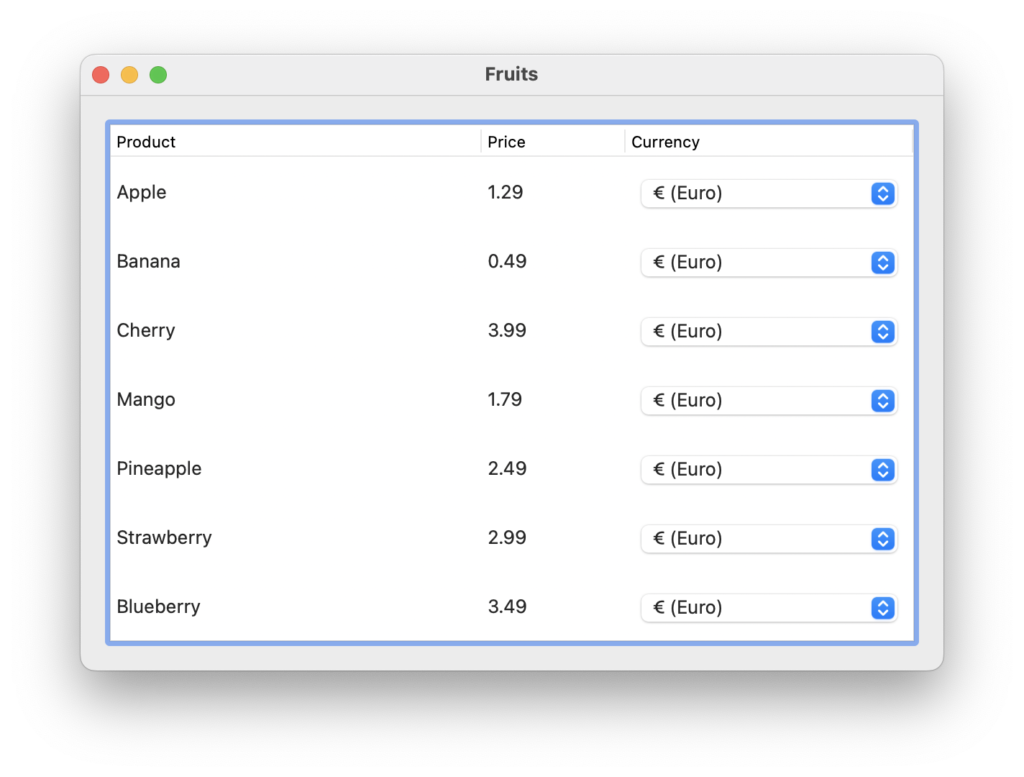
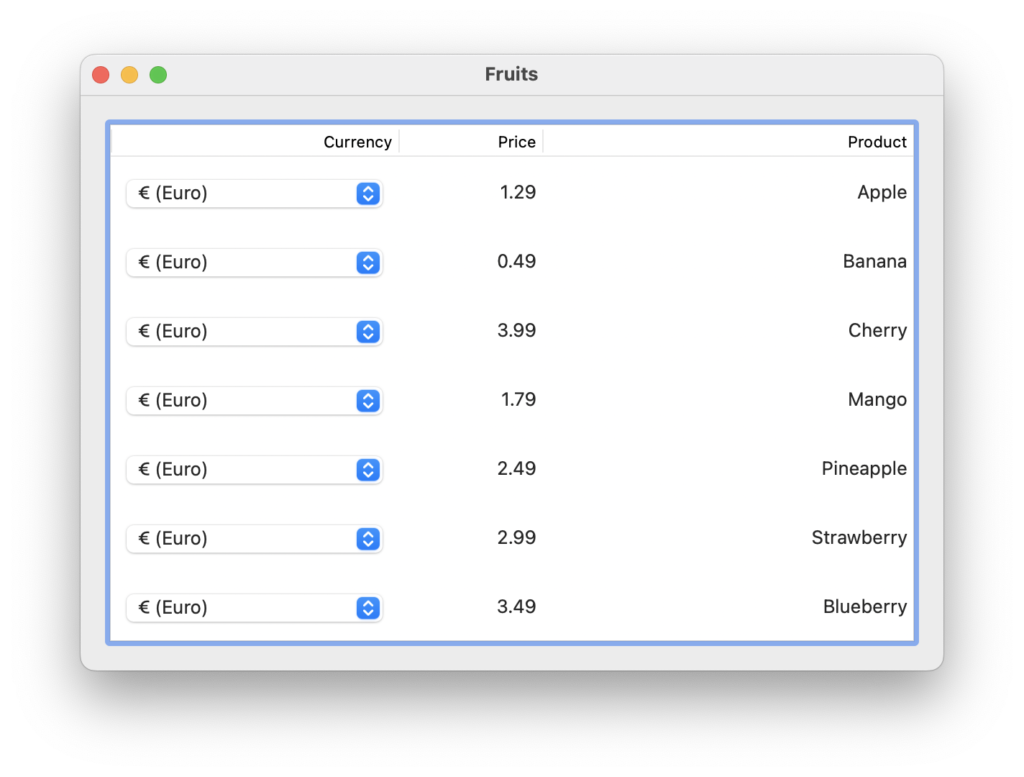
- Virtual data sources — Work with large datasets without storing every row in the control
- CSV and TSV support — Save and load table data directly
- Row swipe actions — Provide familiar leading and trailing actions on macOS, Windows, and Linux touchpads
- Live column resizing — Respond while a column is being resized, as well as when resizing finishes
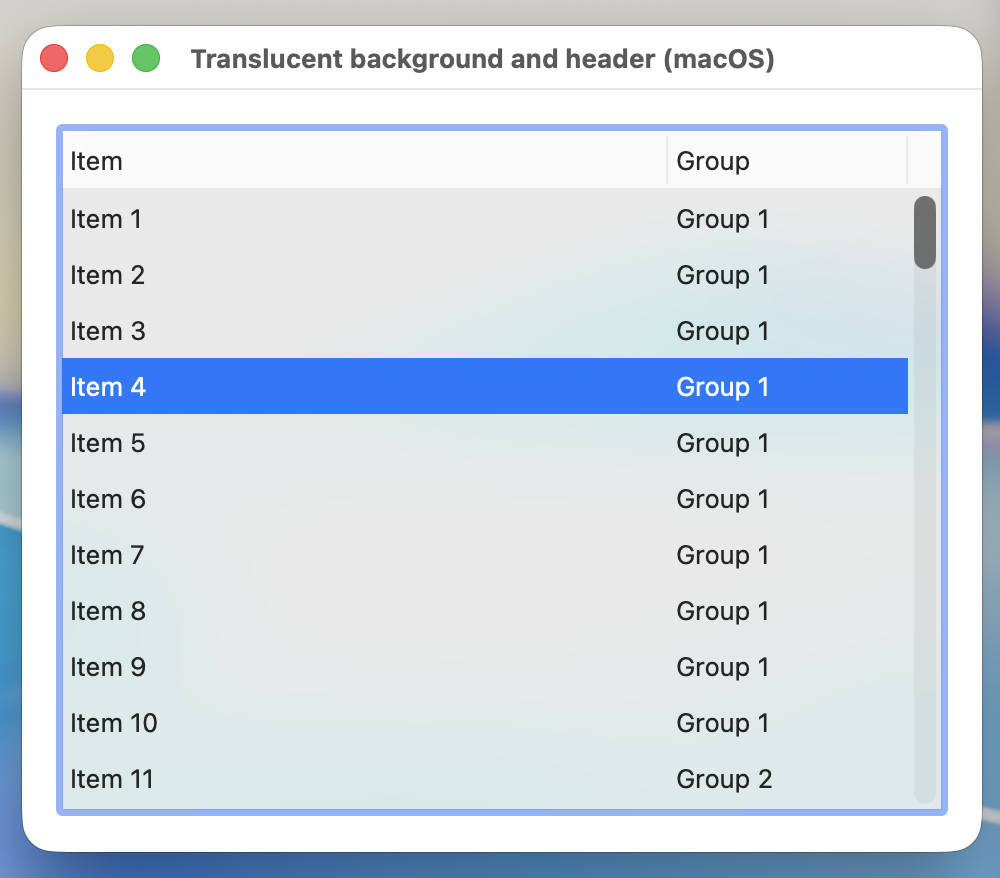
- Custom drawing and macOS vibrancy — More control over the table’s appearance and behavior
Moving from DesktopListBox
The transition is intentionally straightforward. Change the super of your DesktopListBox control to DesktopTable, build your project, and address the few members that have been renamed.
| DesktopListBox | DesktopTable |
|---|---|
| HeaderAt | ColumnHeaderAt |
| HasHeader | HasColumnHeader |
| RefreshCell | RefreshCellAt |
| PressHeader | PressColumnHeaderAt |
Most familiar APIs—including AddRow, CellTextAt, ColumnCount, ColumnWidths, RemoveRowAt, and SelectedRowIndex—retain their existing names.
A Few Things to Check
Some behavior is intentionally different. In particular, row reordering with a DataSource or expandable rows requires you to handle DragReorderRows, and row dragging requires DragRow to populate the DragItem and return True.
Sorting also removes merged cells, so applications using merged cells should re-apply their merges after sorting. Frozen rows retain their position and cannot be reordered.
💡If you want to improve performance when adding and removing rows, you can set AllowRowAnimation to False.
An Enhanced IDE Experience
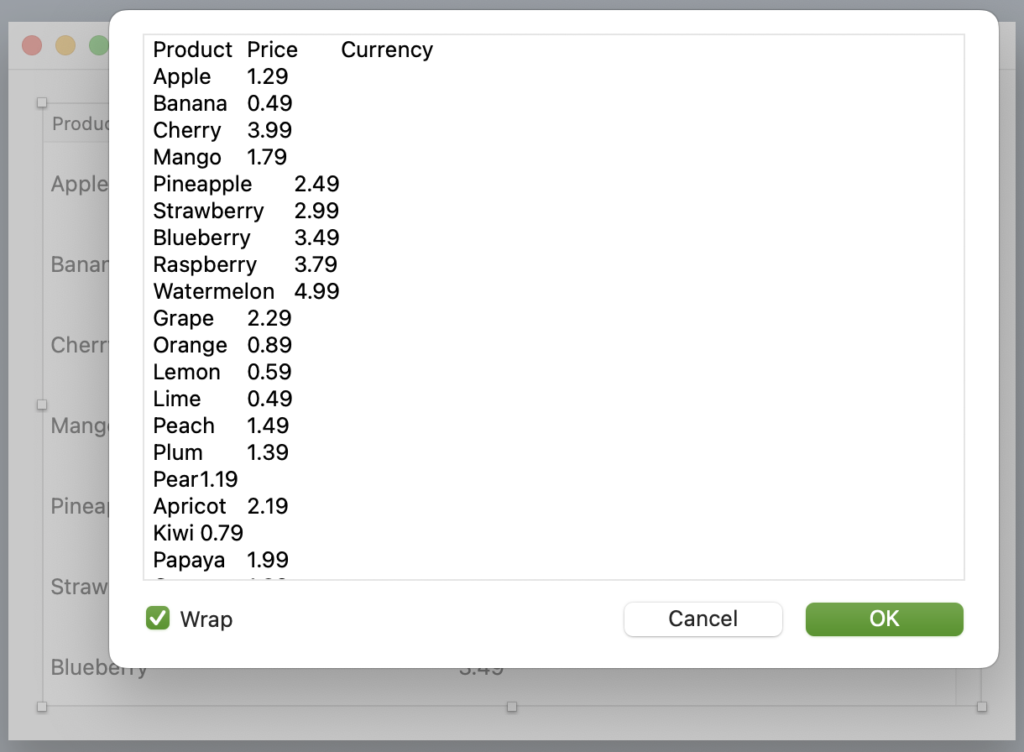
We couldn’t introduce DesktopTable without enhancing the IDE experience as well. Table editing in the IDE is now more intuitive, compared against DesktopListBox, making it easier to edit and work with your tables.
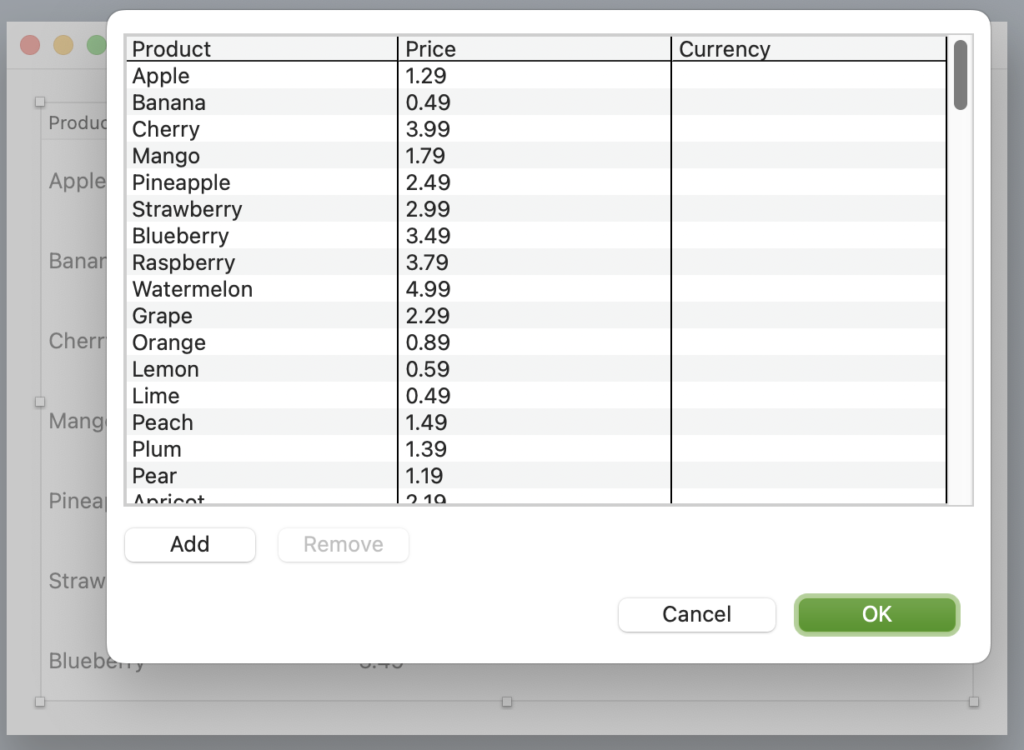
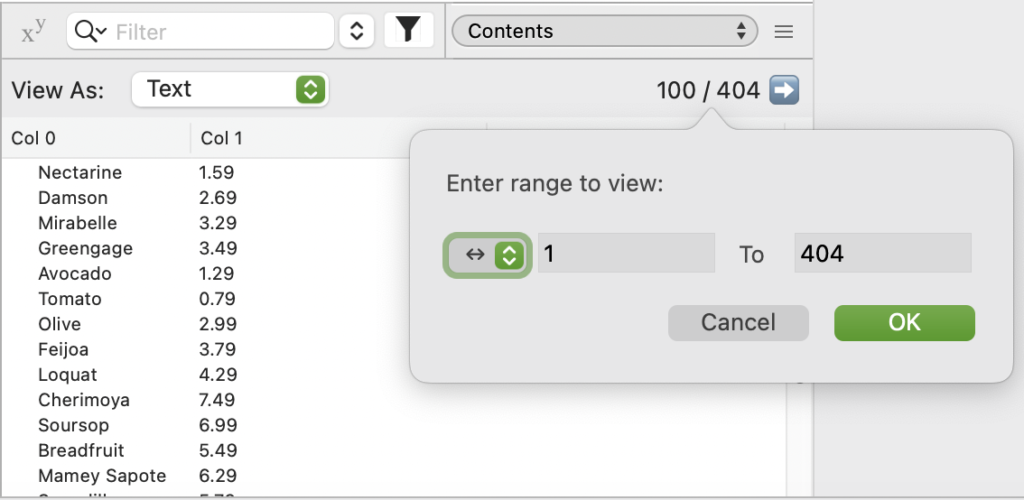
We’ve also updated the debugger to better handle DesktopTable contents, efficiently loading rows dynamically and allowing you to jump directly to and inspect specific rows without loading the entire table.
Final Thoughts
DesktopTable gives existing DesktopListBox applications a familiar starting point while opening the door to considerably richer table interfaces. Stay tuned for more blog posts exploring many of its exciting new features!
William Yu grew up in Canada learning to program BASIC on a Vic-20. He is Xojo’s resident Windows and Linux engineer, among his many other skills. Some may say he has joined the dark side here in the USA, but he will always be a Canadian at heart.