
macOS 26 and iOS 26 bring many changes, most notably a major UI overhaul. This means that some elements in your existing layouts, both small and significant, may look different. To help developers with this transition, Apple has introduced UI Compatibility Mode in both operating systems for this release.
So, what is UI Compatibility Mode? It’s Apple’s way of ensuring that your app’s UI appears in macOS 26 and iOS 26 just as it did on previous OS versions. No Liquid Glass effects, no unexpected changes in control sizes or behavior, everything stays as you designed it. This means your pixel-perfect layouts from older OS versions, like Sequoia or iOS 18, will continue to look exactly as intended.
More technically, when UI Compatibility Mode is enabled, your app behaves as if it were compiled with an earlier SDK.
The caveat: Apple only guarantees this behavior while macOS 26 and iOS 26 are current. With the next major OS releases, this mode may no longer be available, so it’s a temporary solution.
The upside: At the time of writing, Apple is still refining these OS versions with point releases. If you need your app to run on macOS 26 or iOS 26 with full compatibility, you can enable UI Compatibility Mode in the Inspector Panel under Build Settings > macOS and Build Settings > iOS.
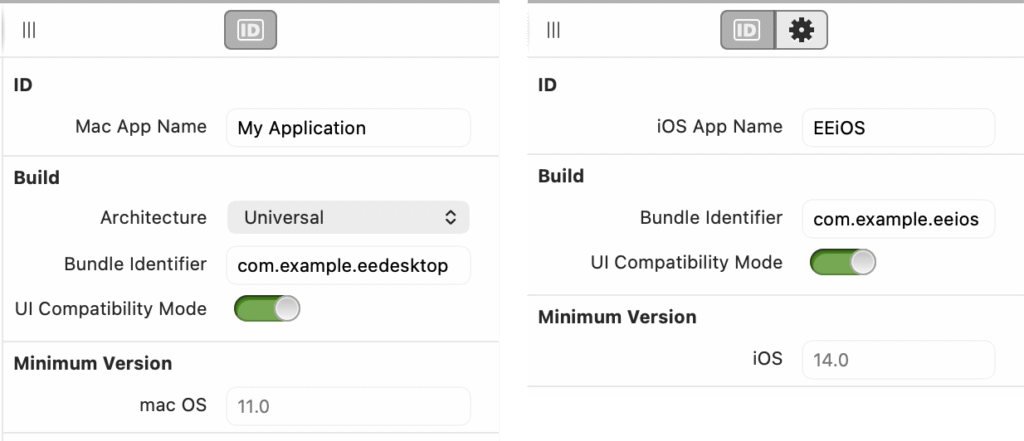
When enabled, both your debugged apps and the built versions (including those submitted to Apple via Publish) will look and behave on macOS 26 and iOS 26 as if they were compiled with the previous SDK. In fact, the behavior is even more consistent than if they had been compiled using the prior Xojo release.
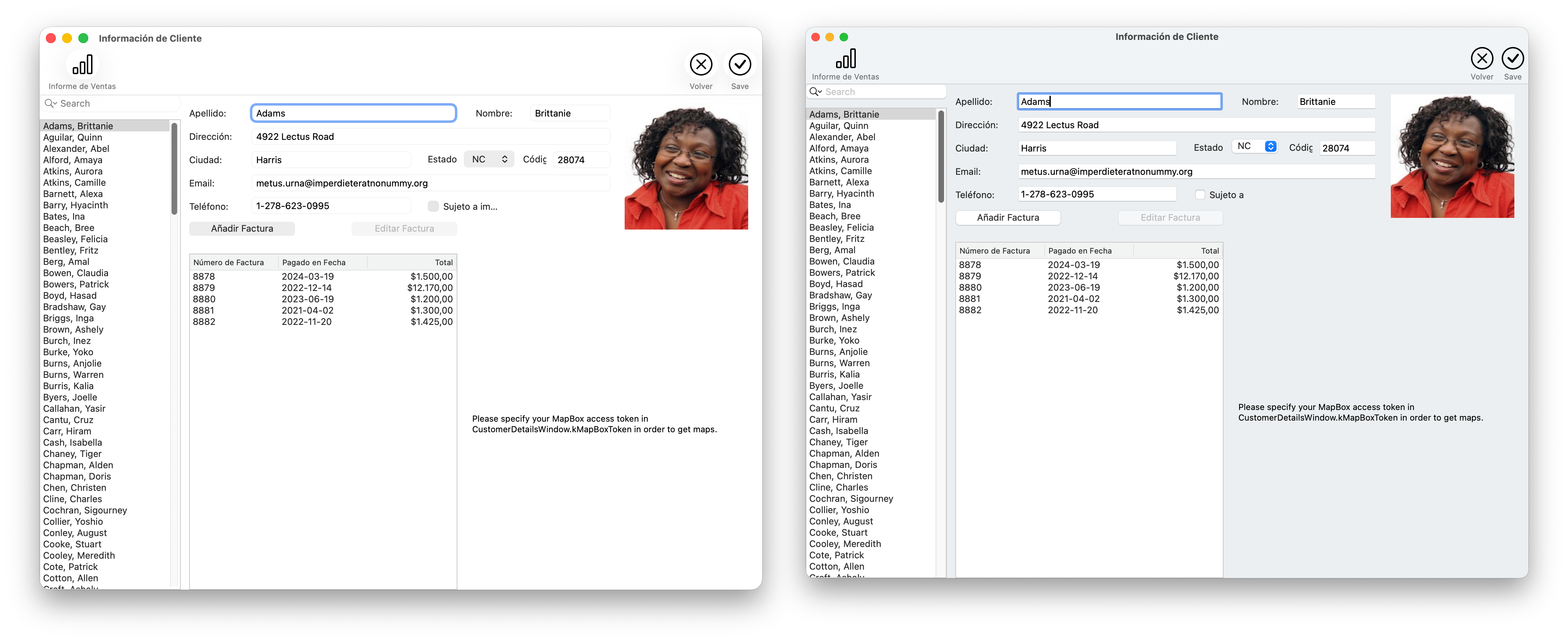
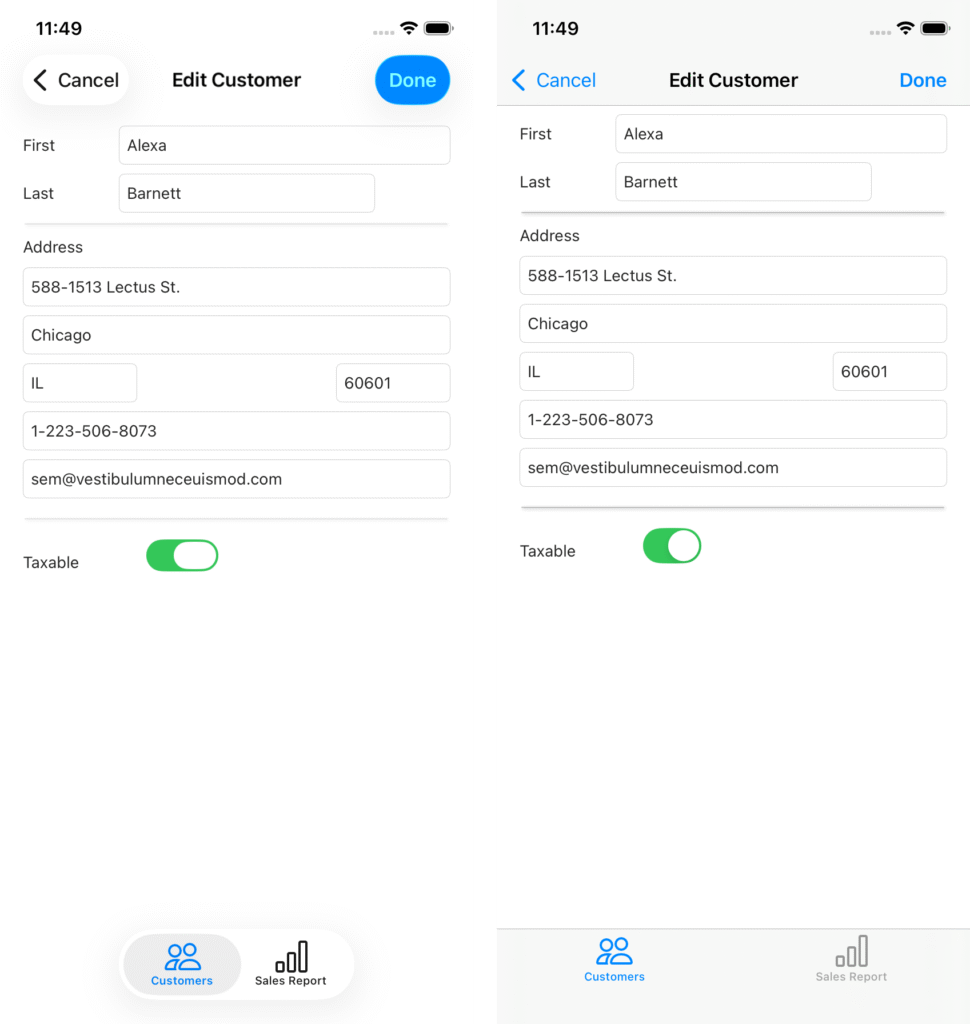
Below, you can see how the same app appears when running on macOS 26 and iOS 26 with UI Compatibility Mode turned off (showing Liquid Glass and all the new UI effects), compared to how it looks when the switch is turned on:
The Last Word
All in all, macOS 26 and iOS 26 introduce a major UI overhaul, which can change the appearance of existing layouts. To help developers, Apple has added UI Compatibility Mode, which lets your apps appear on these new OS versions just as they did on previous releases—no Liquid Glass effects or layout changes. Technically, enabling this mode makes your app behave as if it were compiled with an earlier SDK. While Apple only guarantees this behavior for macOS 26 and iOS 26, it ensures consistency for both debugged and built apps, including those submitted via Publish.
UI Compatibility Mode gives you a choice: enable it to preserve your exact layouts across all OS versions, or leave it off to adopt the new macOS 26 and iOS 26 look and feel, which may require adjusting your UI for some quirks.
Javier Menendez is an engineer at Xojo and has been using Xojo since 1998. He lives in Castellón, Spain and hosts regular Xojo hangouts en español. Ask Javier questions on Twitter at @XojoES or on the Xojo Forum.