
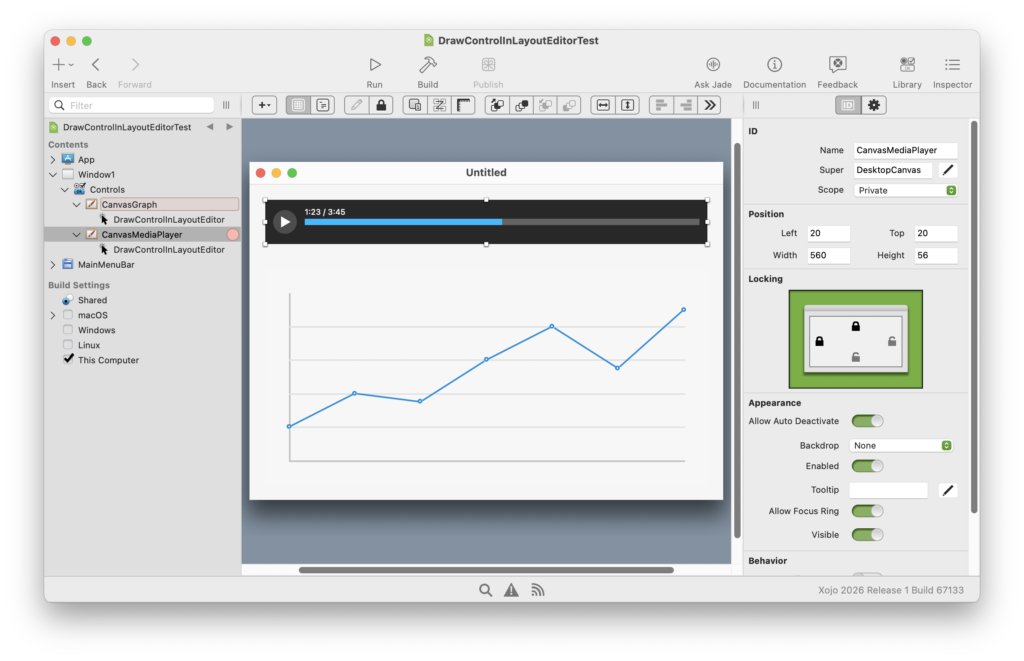
One of the notable additions in Xojo 2026 Release 1 is that the DrawControlInLayoutEditor event is now available for Desktop and iOS/Android projects, giving you more possibilities over how your controls appear in the layout editor.
With this feature you can provide custom drawing for a control at design time, making it easier to visualize your UI without running the project.
If this sounds familiar, it’s because it brings Desktop and iOS/Android projects closer to what’s already possible in Web projects with WebSDKUIControl, where custom layout rendering has been available for some time.
Why this matters
Previously your custom Canvas controls would appear as generic placeholders, making it difficult to understand how they would look at runtime. Now you can:
- Render a preview of your control directly in the layout editor
- Display dynamic or state-based visuals
- Make custom controls much easier to work with at design time
How it works
For Desktop projects, you can subclass DesktopUIControl and implement the DrawControlInLayoutEditor event. Your drawing code is executed by the IDE as it renders the control in the layout. For iOS and Android projects, this event is available on MobileUIControl.
👉 You can also use this event directly with DesktopCanvas and MobileCanvas controls, so you can start drawing in DrawControlInLayoutEditor without needing to subclass anything.
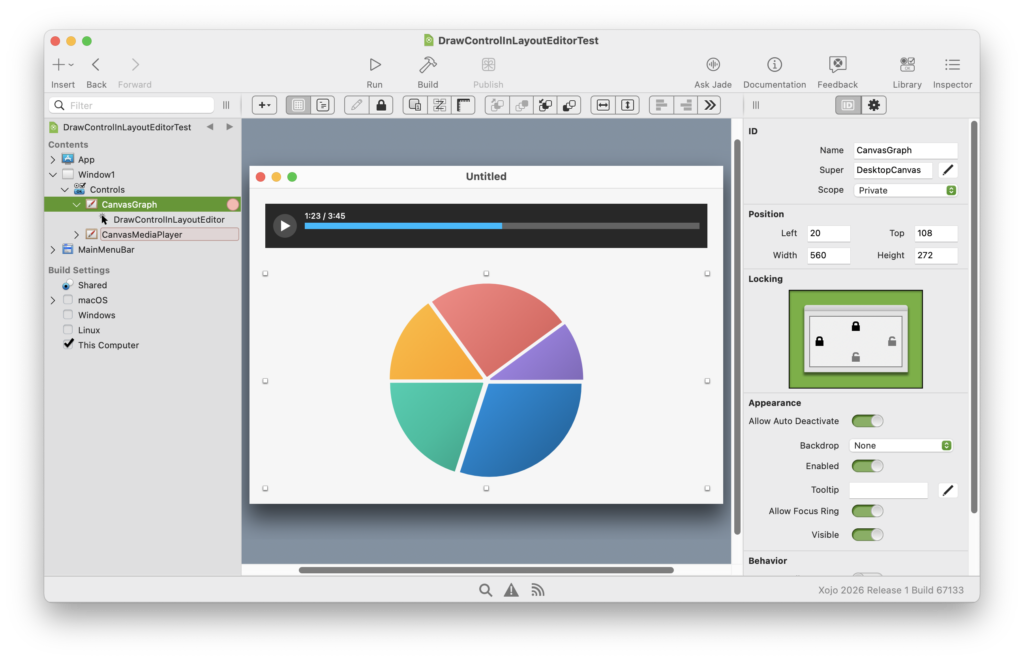
This event gives you the flexibility to draw whatever you need—shapes, text, or even simplified representations of runtime content. For example, a custom media player control could display a play button and timeline, or a chart control could render a sample graph.
A note about XojoScript limitations
One important detail to keep in mind is that DrawControlInLayoutEditor runs using XojoScript. This allows the IDE to safely execute your drawing code at design time, but it also means not everything you’d typically expect to use in Xojo is available, especially when it comes to the graphics APIs.
In practice, most common drawing operations—such as shapes, lines, and text—work as expected. However, in some cases these graphics calls use a slightly different API, as is the case with LinearGradientBrush.
👉 Also, because this runs as XojoScript, you cannot call other methods from within your DrawControlInLayoutEditorcode. To access your control’s properties, you’ll need to use the built-in ColorProperty, BooleanProperty, IntegerProperty, DoubleProperty, and StringProperty methods.
Support for more Graphics
In 2026r1, we’ve expanded the graphics capabilities available to DrawControlInLayoutEditor, building on what was previously supported for WebSDKUIControl. New additions include support for:
- LinearGradientBrush, PictureBrush, and ShadowBrush
- LineDash, LineDashOffset, LineCap, LineJoin, and MiterLimit
- Outline
- Scale, Rotate, and Translate
- SaveState, RestoreState
- Color constants (Red, Green, Blue, Yellow etc.)
Since XojoScript does not support the Pair type, the LinearGradientBrush API was adapted slightly:
Class LinearGradientBrush

  Sub Constructor()

  Sub AddStop(stop As Double, c As Color)

  Property StartPoint As Point
  Property EndPoint As Point

End Class
The main difference is how the brush is constructed and how stops are added, without needing Pair. With this new API, you can turn a basic graph into something much more visually appealing.
Turning off this feature
While many may prefer custom rendering for custom controls, it can become a bottleneck when a large number of controls are rendering content. If you prefer a less resource-intensive experience, you can disable this behavior in Settings → Layout by enabling the Static Rendering option.
Finally
With DrawControlInLayoutEditor now available for Desktop and Mobile projects, you can take advantage of the same benefits Web projects have enjoyed for years. Be sure to check out the new DrawControlInLayoutEditor example project, adapted from the WebSDK → CustomButton example. We hope you enjoy designing and previewing your custom controls with this new event—and yes, it also works in Libraries!
William Yu grew up in Canada learning to program BASIC on a Vic-20. He is Xojo’s resident Windows and Linux engineer, among his many other skills. Some may say he has joined the dark side here in the USA, but he will always be a Canadian at heart.