
The MobileImagePicker class has been around for while. It lets users take photos using a device’s available cameras and choose images from the device gallery.
The class has been improved through several Xojo releases, offering more options and modernizing its look and feel to match recent iOS releases. In this post, let’s talk about using one of those small but useful improvements to MobileImagePicker with Xojo 2026r2, the SelectionLimit property.
On previous releases, when using the MobileImagePicker to select pictures from the device gallery (using MobileImagePicker.Sources.Photos), the user was allowed to choose as many pictures as they wanted to… but maybe that was not what your app logic expected!
Now you can use MobileImagePicker.SelectionLimit to set that expectation, so the user must comply with the limits your app needs.
If the logic of any of your existing apps allows the user to select as many pictures as they want, then there is nothing you need to do, the existing code will continue to work as expected. That is because the default value of the MobileImagePicker.SelectionLimit is 0. Or if you want to be more explicit, you can set the property to MobileImagePicker.UnlimitedSelection.
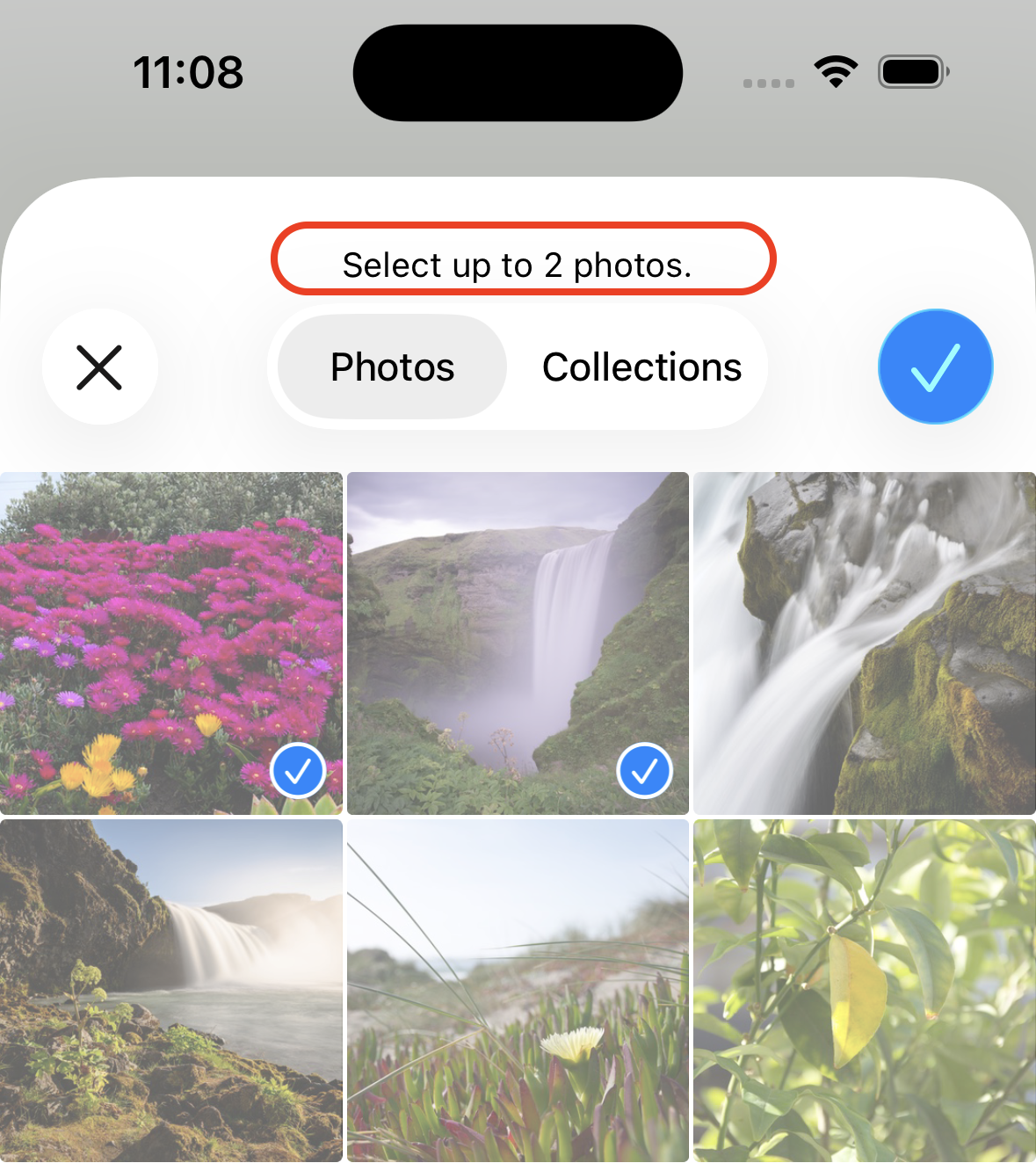
When setting the MobileImagePicker.SelectionLimit property to any other value, the iOS modal dialog will display that limit to the user so they know exactly what is expected.
Do you want to see it in action? Open the iOS > ImagePicker example project from the IDE. Once opened, select the Pressed event handler from the Button1 item in the project navigator to access the associated Code Editor. Then, modify the existing code like this:
ImagePicker.Source = MobileImagePicker.Sources.Photos
ImagePicker.SelectionLimit = 2
ImagePicker.Show()
We set the maximum limit of selected images to two. Run the app in the simulator, click on the Pick Pictures button, and the following modal will be shown, allowing you to choose a maximum of two images:
In summary
Alongside the big features highlighted in each Xojo release, there are a lot of other improvements and helpful additions. Take a look at the full list of updates in the Release Notes.
Javier Menendez is an engineer at Xojo and has been using Xojo since 1998. He lives in Castellón, Spain and hosts regular Xojo hangouts en español. Ask Javier questions on Twitter at @XojoES or on the Xojo Forum.