Recently I was bitten by one of those mysterious errors related to provisioning profiles. Yep, it happens to me too. Continue reading to find what caused it.
If you are developing iOS apps with Xojo, you probably already know you need a provisioning profile to test your app on a real device. For development, that’s a Development Provisioning Profile.
Once everything is working as expected and your app is ready to be published in the App Store, you also need a Distribution Provisioning Profile for the same Bundle ID (you, know the com.yourcompany.yourappname thing).
In this particular case, I was trying to track down a reported issue. As part of that process, I created a new iOS app project in Xcode using a specific Bundle ID.
My first mistake was letting Xcode automatically manage the app signing. As soon I ran the app from Xcode on my iOS device, Xcode created a Xcode-managed Development Provisioning Profile for me.
Once I had done what I needed to do in Xcode, I switched back to Xojo to reproduce the same kind of app. I went to the Apple Developer website and created everything I needed: the App ID, a Development Provisioning Profile and a Distribution Provisioning Profile. Once created, I downloaded them and copied them into the expected folder:
Library/Developer/Xcode/UserData/Provisioning Profiles
So far, so good.
I was able to debug the Xojo project on my iOS devices as usual using the Development Provisioning Profile. At this time, though, there were actually two Development Provisioning Profiles installed in the Provisiong Profiles folder: the one automatically created by Xcode and the one I created manually.
Both profiles were for the same Bundle ID and used the same developer certificate.
I changed the “Build For” setting in Xojo from “Development” to “App Store” and clicked the Build button:
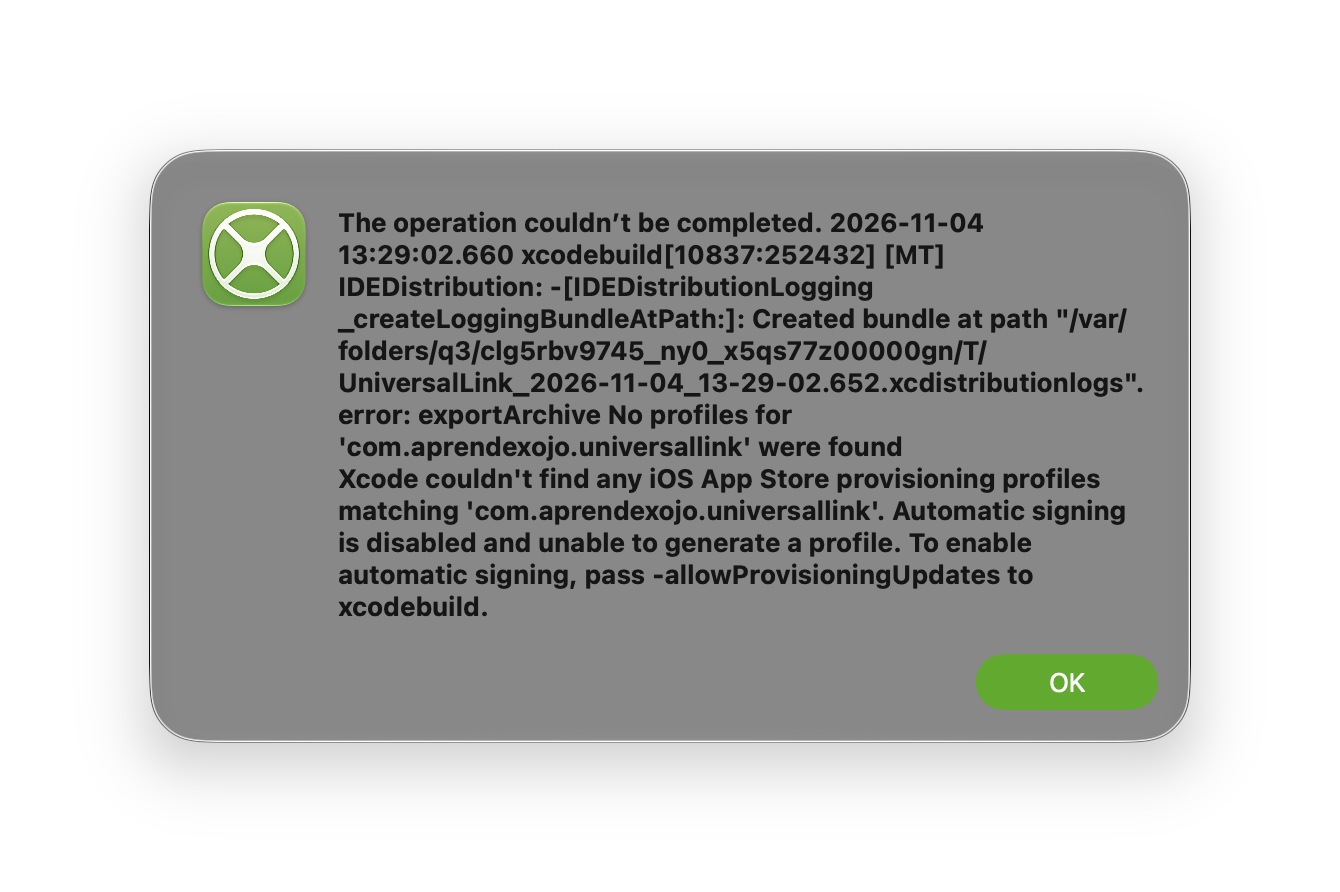
I’m sure you’ve seen this message from time to time. There are several possible causes: pending agreements, expired certificates or provisioning profiles, or provisioning profiles that don’t include the features required by your app.
But none of these applied in this case.
When “Build For” is set to “App Store”, the process is different from simply building for “Development” or debugging your app on a Simulator or real device. Xojo first creates the app and then packages it into the .ipa file that can be submitted to the App Store. As part of that process, the app needs to be signed using the Distribution certificate and the corresponding Distribution Provisioning Profile. xcodebuild, which is part of the Xcode toolchain, handles this step.
And that’s where things went wrong.
The Xcode-managed Development Provisioning Profile was confusing xcodebuild. Because there were two Development Profiles for the same Bundle ID, it was following the path of the automatically created profile instead of using the Distribution Profile for that path.
The solution was surprisingly simple: I removed the automatically created Development Provisioning Profile from the /User Data/Provisioning Profiles folder. After that, the App Store build worked as expected.
So, if you run into this kind of error when building an iOS app for the App Store from Xojo, check whether you have multiple Development Provisioning Profiles using the same Bundle ID. Of course, there are other possible causes for this error, but it’s worth checking for a duplicate profile before spending a lot of time digging into the other possibilities.
We have also reinforced the process on our end for a future release so this particular situation, where Xcode’s automatically generated provisioning profiles can conflict with a profile you created and installed manually, is handled more gracefully.
Javier Menendez is an engineer at Xojo and has been using Xojo since 1998. He lives in Castellón, Spain and hosts regular Xojo hangouts en español. Ask Javier questions on Twitter at @XojoES or on the Xojo Forum.