For week five of the Just Code Challenge, I made a web app. My wife is a middle school math teacher and sometimes she needs to give the kids quizzes to help them with their math skills.
Comments closedAuthor: Paul Lefebvre
Sometimes the idea for a great little app comes down to solving a silly little problem.
Last month, the family went mini-golfing for my son’s birthday. It was a lovely course called Pirate’s Cove Adventure Golf right next to the ocean. But they didn’t have scoring stands and we had to use a tiny pencil on a little cardboard scorecard to keep score. So this week’s app is a simple iOS app track of mini-golf scores!
The iOS app has two screens. The main screen has a giant Table that lists all the 18 holes. You tab on the detail button for a row (it’s the “I” icon) to go to the scoring screen.
Comments closedIn the Mac world, 32-bit apps have been disappearing more and more as time goes on. This year already we’ve seen significant steps toward 64-bit.
In January 2018 Apple stopped accepting 32-bit app submissions to the Mac App Store.
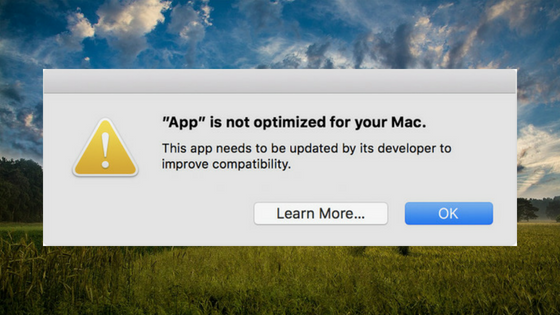
In February 2018, starting with macOS 10.13.4, Apple added a warning that displays the first time you launch a 32-bit app.
In June 2018 Apple stopped accepting updates to 32-bit apps in the Mac App Store. All new apps and app updates must now be 64-bit.
At WWDC 2018 Apple announced that macOS 10.14 will be the final version that support 32-bit apps. Although they did not announce a release date, based on the timing from the past few years macOS 10.14 will probably be released around the end of September 2018.
Comments closedAfter 2 desktop apps in week 1 and week 2 of the Just Code challenge, my project this week is an iOS app. Its very important job is to display dog pictures. I call it Dogs Up!
Comments closedIn week 2 of the Just Code challenge I took inspiration from a feature in 1Password that can generate a password suggestion. This desktop app allows you to specify a desired password length and the number of digits and symbols to include in it.
Comments closedIt’s the first week of the Just Code challenge so I’m starting with something pretty simple. This app lets you choose a color using the system color picker and then shows you the color values in hexadecimal (useful for programming, HTML and CSS), RGB (red, green, blue), HSV (hue, saturation,value) and CMY (cyan, magenta, yellow).
Comments closedI’m often asked by kids and adults how they can start coding and learn to make apps? You could start with the usual books or videos.
But maybe you want to jump right in. When I started programming that is exactly how I learned. I tried things to see what worked and what didn’t work. I also looked at and modified other programs I found.
You can learn to code if you just code.
Comments closedThese days everyone has a great idea for an app. Maybe you have an idea that would save you time at work, or maybe you’ve been thinking of an app that would automate something you do at home. Not sure where to start? One of your first steps is choosing a development tool that is right for you and for your project.
Here are five questions to guide your decision:
Comments closedYou can call into Win32 APIs (aka WinAPI) to use methods and properties that are not built into the framework by using the Declare command. To create a Declare statement you first need to track down the API you want to use using Microsoft’s documentation: Microsoft Developer Documentation.
Comments closedYou can call into Cocoa APIs to use methods and properties that are not built into the Xojo framework by using the Declare command. To create a Declare statement you first need to track down the API you want to use using Apple’s documentation: Apple Developer Documentation.
Comments closed